Mastering Font Pairing in Studio: A Practical Guide
Creating a cohesive design isn't just about choosing one beautiful font; it's about orchestrating a conversation between two or three. When you learn how to pair fonts together in Studio effectively, you move from simply arranging text to crafting a visual voice. The right combination establishes hierarchy, guides the reader's eye, and injects personality into your project, whether it's a brand identity, a social media graphic, or an editorial layout. This guide cuts through the complexity to give you actionable strategies for making type work for you.
Why Font Pairing Matters More Than You Think
Think of fonts as the tone of your design's voice. A single, consistent typeface can work, but pairing fonts introduces nuance and emphasis. It's the difference between a monotone lecture and a dynamic conversation. A bold, modern display font for a headline grabs attention, while a clean, readable serif font for body text ensures your message is understood. This interplay directly influences how your audience perceives your content. A well-chosen pairing feels intentional and professional, building trust and enhancing brand recognition. A poor pairing can create visual chaos, confuse your message, and undermine your credibility.
The goal is to create contrast, not conflict. You're looking for fonts that complement each other, much like a lead vocalist and a skilled guitarist. They have distinct roles but work in harmony. This principle is central to modern typography and is a core skill you'll develop when you explore how to pair fonts together in Studio. It's about understanding that different typeface families—serif, sans serif, script, and handwritten—each have a unique personality and function.
Building Your Pairing Strategy
Before diving into specific combinations, establish a clear hierarchy for your project. What is the primary message? What needs to be secondary? A common and effective structure uses three tiers: a display font for major headlines, a complementary serif font or sans serif font for subheadings, and a highly readable font for body copy. This structure is a workhorse for everything from web design to packaging design.
When you select your primary creative font, consider its visual characteristics and overall appeal. Is it a sharp, geometric sans serif that feels contemporary and clean? Or a classic serif with elegant details that conveys tradition and authority? Your secondary font should echo one quality of the first—like x-height or letter shape—while providing clear contrast in weight or style. For example, pair a bold, condensed display font with a light, wide sans serif. The contrast in shape creates visual interest while a shared modern feel keeps them unified.
Practical Pairing Principles
Here are tested approaches to get you started:
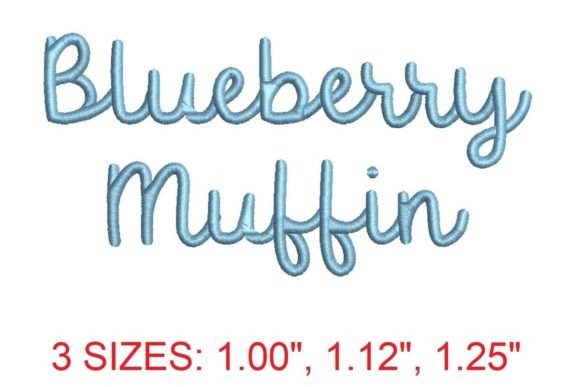
- Contrast Style, Match Mood: Combine a script font with a sturdy, geometric sans serif. The script adds personality and flair for logos or invitations, while the sans serif ensures legibility for details. They share a clean, modern mood.
- Same Family, Different Weights: This is the simplest and most foolproof method. Use a bold weight for headlines and a regular weight for body text. It guarantees a cohesive brand identity because the fonts are designed to work together. This is perfect for editorial design where clarity is paramount.
- Serif + Sans Serif: A timeless combination. Pair a traditional serif for body text (excellent for readability in long-form print or digital articles) with a clean sans serif for headlines and captions. This offers a professional, trustworthy aesthetic ideal for publishing and marketing materials.
Applying Your Pairings Across Projects
The real test of a font pairing is its application. A combination that shines on a poster might fail on a mobile screen. Always consider your medium. For social media graphics, you need high impact at small sizes. A bold, condensed display font paired with a simple sans serif works well here. For a website, prioritize readability. Ensure your body font is legible at various screen resolutions and that your heading font loads quickly without sacrificing its character.
When working in Studio, take advantage of the design assets available. Test your pairings with real content, not just "Lorem ipsum." Place them into a mockup for a business card, a blog header, or an Instagram story. Does the font pairing maintain its hierarchy when scaled down? Does the script font remain legible when used for a short tagline? This practical testing phase is crucial. It reveals issues with readability and spacing that aren't apparent in isolation.
Licensing and Long-Term Use
Finally, a note on professionalism. If you're using fonts for a client or commercial project, verify the licensing. Many beautiful premium fonts and commercial fonts require a license for commercial use. This is a non-negotiable part of using design assets ethically and legally. Ensure the fonts you choose for your logo design or product packaging are cleared for that specific use. This protects your work and your client's investment, solidifying the professionalism you've built through careful typographic choices.
Mastering how to pair fonts together in Studio is a journey of observation and experimentation. Look at designs you admire, deconstruct their type choices, and then apply those principles to your own work. By focusing on contrast, hierarchy, and context, you'll develop an instinct for creating pairings that are not only beautiful but also powerfully effective communicators.